· Fuzal
Four games on one Arduino Nano: a joystick-controlled color game collection
15 Tiles, Snake, Neo Fleet, and Nu Pogodi on a 240 × 240 display: controls, memory tradeoffs, and all 28 rendered game states.
A small Arduino game project has grown into a four-game handheld-style collection: 15 Tiles, Snake, Neo Fleet, and Nu Pogodi. They share one joystick, one color display, and a menu designed to make switching games straightforward.
The interesting part is fitting the experience into a classic Arduino Nano. There is no large graphics buffer or operating system hiding behind the screen. Character art, input handling, turn timing, and redraw decisions all have to earn their place.
The hardware and the current build
This build runs on an ATmega328P Nano with a 240 × 240 ST7789 color display. The joystick uses A0 and A1, with a select button on D2. On this mounted joystick, pushing up lowers A0 and pushing right lowers A1. Preserving those measured directions was essential: a visually correct game is frustrating if its controls are rotated.
Firmware version 1.4.7 uses 29,678 of the 30,720 bytes available for the sketch. Static variables occupy 818 of 2,048 bytes of SRAM, leaving 1,230 bytes for the stack and other runtime use. That remaining RAM is not a promise that arbitrary new games will fit. Flash is already about 96% full.
About these screenshots
All 28 images below come from the production drawing code running through a host display adapter at the native 240 × 240 resolution. They are reproducible rendered states, not photographs or images read back from the connected display. Some states, including victories, are staged fixtures for visual review. The host adapter approximates display drawing, so these images do not prove physical screen timing, flicker, or joystick feel.
The firmware itself was uploaded to the connected Nano with flash verification. Automated checks cover game logic, controls, and rendering; hands-on device feedback remains important.
Menu
Move up or down to choose a game, then tap and release Select to start it. Holding Select for one second returns to the menu from a game. Three cards are visible at once, with the fourth reached by scrolling.
Ordinary menu movement updates only the old and new selection outlines. Icons and text stay in place; the visible card set is redrawn when it scrolls. This avoids clearing the whole list on every joystick move. Nu Pogodi uses a wolf-head portrait cropped from its existing character data.
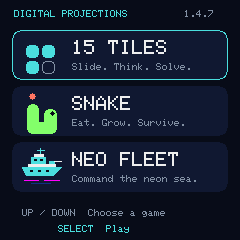
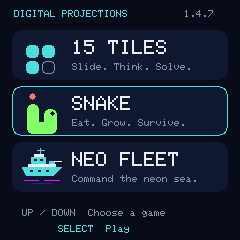
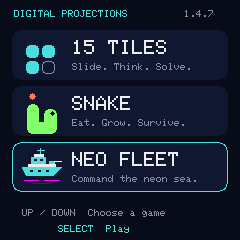
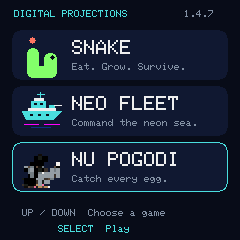
15 Tiles
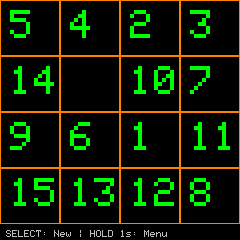
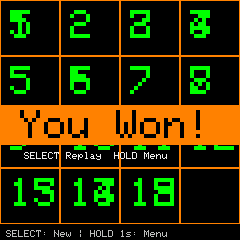
The original sliding puzzle remains the foundation of the collection. Move numbered tiles into the empty space until the board reads in order. New boards are produced through legal moves from a solved board, so the shuffle stays solvable. Select starts another board, and the solved state offers replay or a return to the menu.
Snake
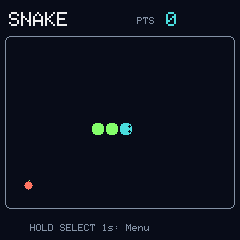
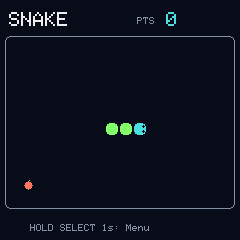
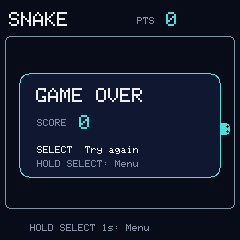
Snake turns the same controls into a real-time game. Collect food, grow, and avoid the walls and your own body. The model prevents immediate reversal and limits queued turns between movement steps. Only affected cells need to be redrawn as the snake advances.
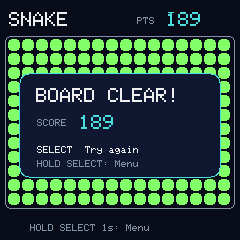
The game speeds up as the snake grows. A collision leads to the replay screen; filling the board produces the board-clear state shown here as a staged fixture. The board is 16 × 12 cells, with a maximum length of 192.
Neo Fleet
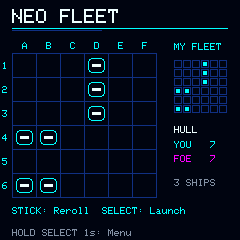
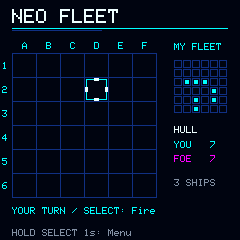
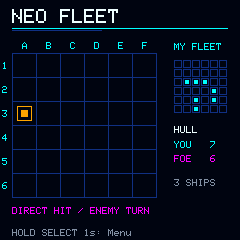
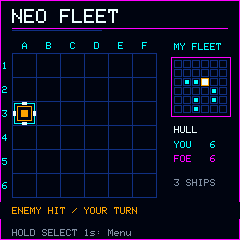
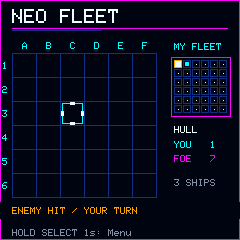
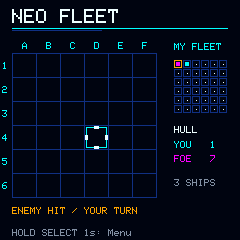
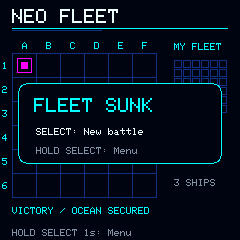
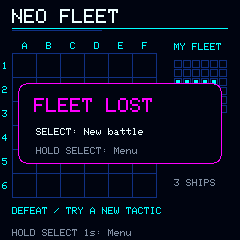
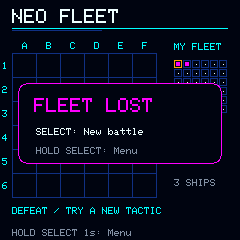
Neo Fleet is a turn-based naval game with cyan grids, magenta accents, and a dark, Tron-inspired visual theme. Each side has a six-by-six board and three ships of lengths three, two, and two. The deployment screen lets the player reroll a layout before launching.
Move the target, including diagonally, and press Select to fire. Repeated shots do not consume another turn. The opponent replies after a short delay, and a hit on the player produces a brief damage flash without blocking the game loop. Its targeting follows observed hits and neighboring cells rather than consulting hidden ship locations. The screenshots include targeting, both sides of a turn, damage feedback, and both outcomes.
Nu Pogodi
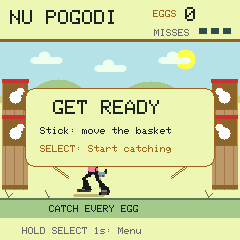
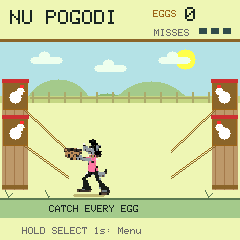
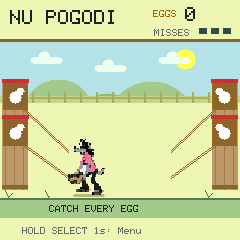
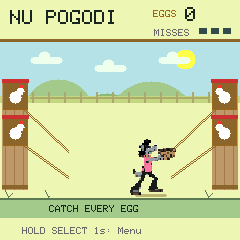
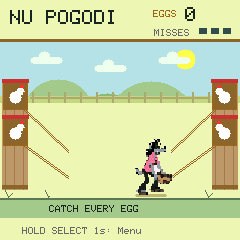
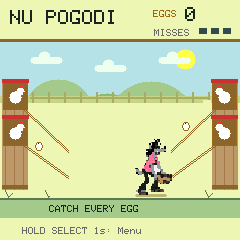
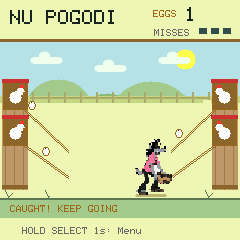
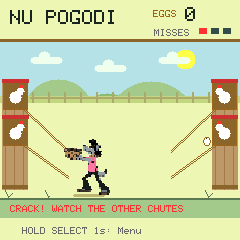
Nu Pogodi is an egg-catching game with four chutes. The wolf moves bodily between left and right, choosing an upper or lower basket position. Diagonal joystick pushes select a corner directly; their detection accepts moderate deflection rather than requiring both axes to reach their electrical extremes.
The selected artwork uses a low basket pose and a shoulder-height catch, mirrored for the left side. A shared palette and run-length encoding store both poses in flash. The wolf-head menu icon reuses that same data. The artwork is an adaptation generated and converted for this project, not original cartoon production frames.
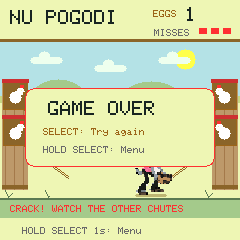
The farm scene adds clouds, hills, fencing, wooden coop towers, and a small grounding shadow. Static scenery stays outside the moving objects’ redraw areas. Eggs travel along four equal-step lanes, with only one arriving at a time, and three misses end a run. Catching becomes faster as the score rises.
Small hardware, deliberate tradeoffs
The most useful improvements were not always new features. Keeping the original wiring intact, making long-press exit reliable, redrawing only changed regions, and reusing character pixels made the collection easier to play without large memory costs. The next addition has to fit the remaining flash budget as well as the interface.
Download all 28 screenshots, contact sheets, and the offline gallery. The individual images above can also be opened at their native resolution.